
如何在CMD或PowerShell下‧在遠端電腦執制指令
01. 早一日測試了『Invoke-Command』指令,在本機執行指令是沒有問題的。但來到網絡上電腦,因為預設『WinRM』及『PSRemoting』服務是停用,究竟要如何在遠端啟用網絡上電腦的『WinRM』及『PSRemoting』服務,就是今次研究的主題。
02. 要存取網絡上電腦,就要用UNC路徑來存取(如\\computername\C$),但在CMD或PowerShell下,是否又可以存取UNC路徑呢?
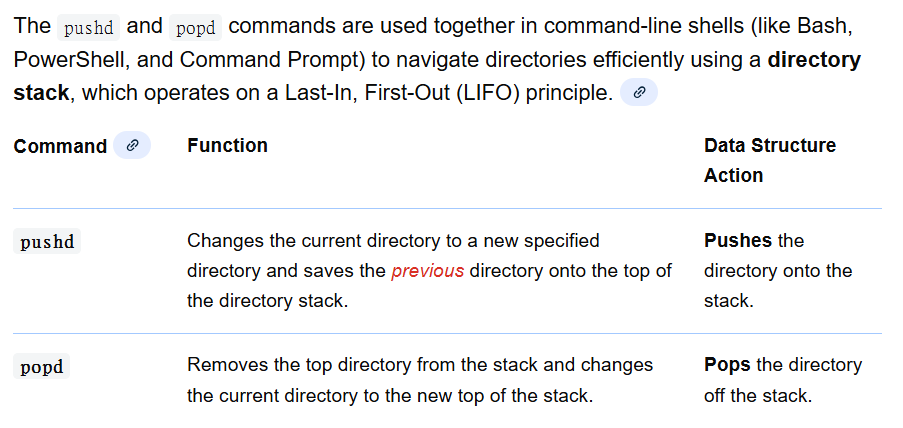
03. 在網上世界尋找答案,原來在CMD下,可以用pushd或popd來存取UNC路徑下的網絡上電腦。兩者分別可以參加下面資料。
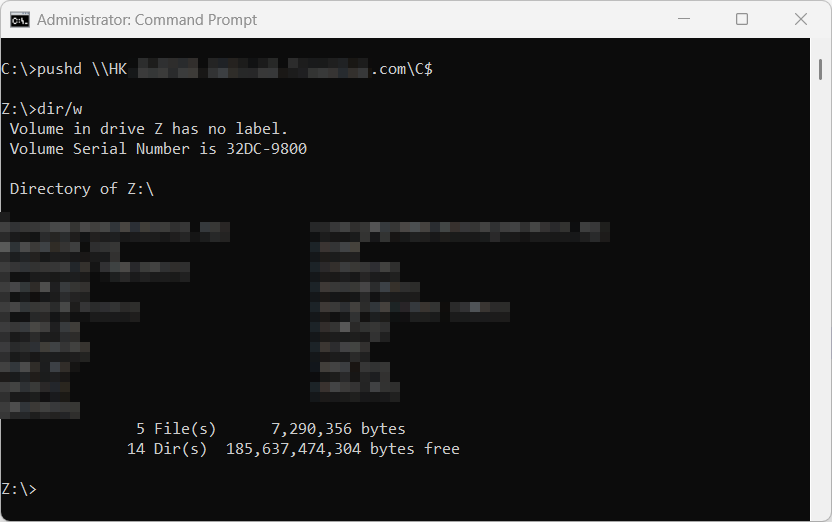
04. 以網絡管理員身份,執行CMD指令。要存取網絡上電腦C:\內容,輸入:
pushd \\<computername>\C$
05. 以網絡管理員身份,執行PowerShell指令。要存取網絡上電腦C:\內容,輸入:
set-location \\<computername>\C$
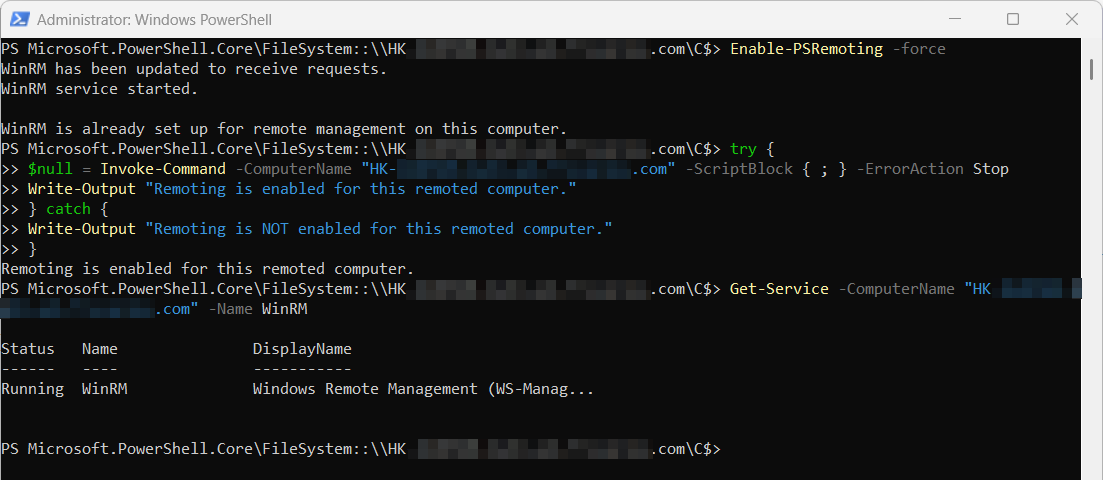
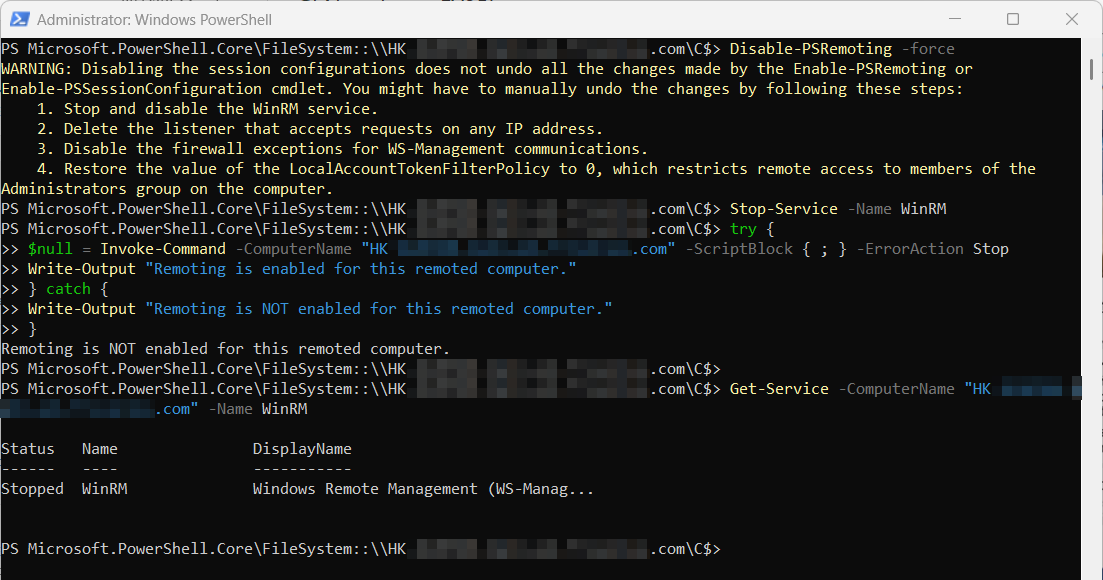
06. 切換到網絡上電腦後,便可以遠端執行不同的CMD或PowerShell指令,如啟用/停用『WinRM』及『PSRemoting』服務。
啟用『PSRemoting』服務:
Enable-PSRemoting -force
啟用『WinRM』服務:
Start-Service -Name WinRM
檢查『PSRemoting』服務狀態:
try {
$null = Invoke-Command -ComputerName <computername> -ScriptBlock { ; } -ErrorAction Stop
Write-Output "Remoting is enabled for this remote computer."
} catch {
Write-Output "Remoting is NOT enabled for this remote computer."
}
檢查『WinRM』服務狀態:
Get-Service -ComputerName <computername> -Name WinRM
發佈留言